What is Kombiner?
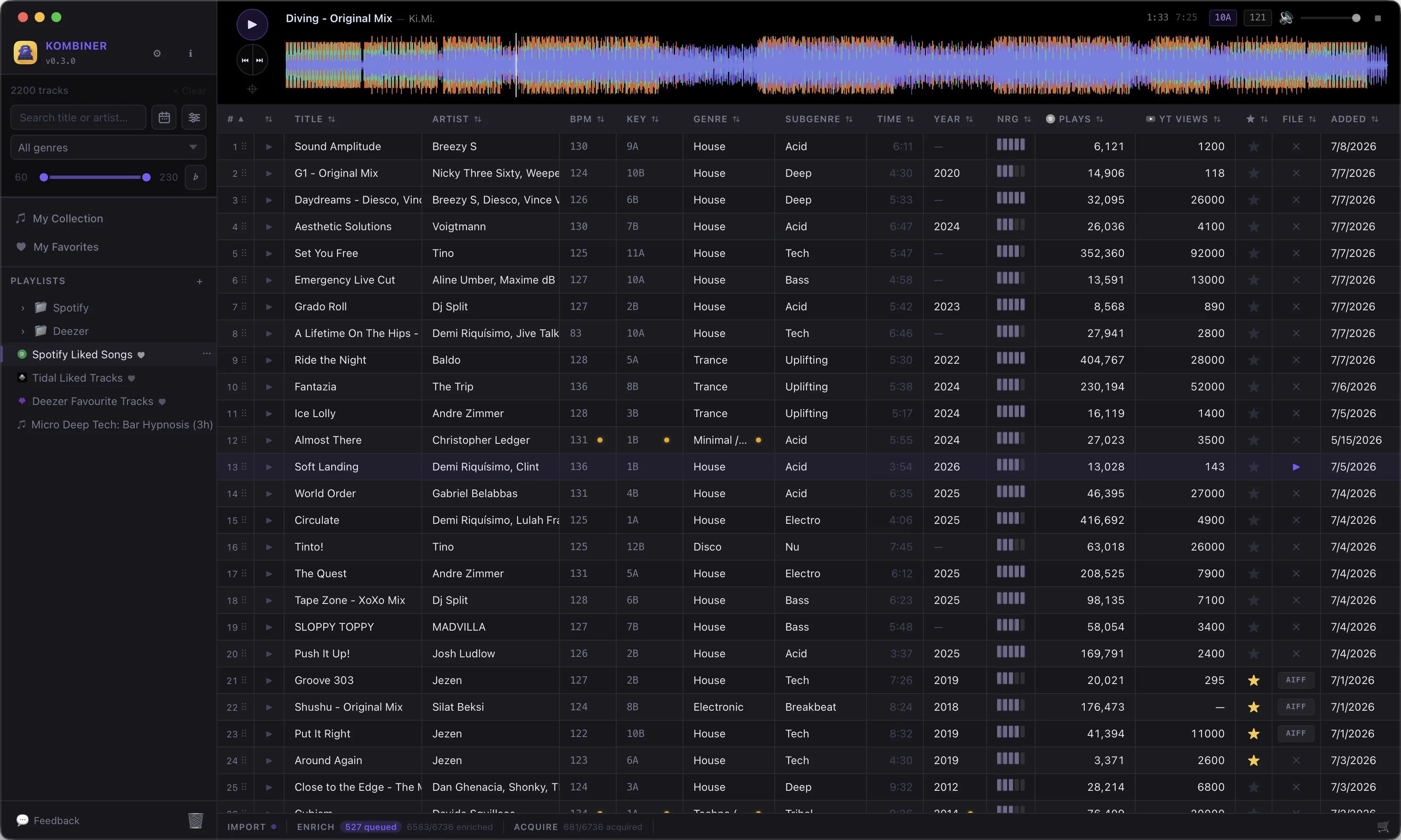
Kombiner is a desktop application for DJs that brings your entire music library under one roof. Whether your tracks live on Spotify, Tidal, Deezer, SoundCloud, Beatport, Bandcamp, or a local hard drive, Kombiner pulls them together into a single, searchable library — and keeps it up to date automatically.
The Problem It Solves
Modern DJs work across a fragmented landscape. You might discover new music on Spotify, buy tracks from Beatport, download promos from Bandcamp, and maintain a local FLAC collection — all completely separate. When it comes time to prepare for a gig, that fragmentation creates real friction:
- Scattered libraries. Your music lives in four different apps with no unified view.
- Incomplete metadata. BPM, key, and genre are missing or inconsistent across sources. Streaming services use different tagging conventions; local files may have no tags at all.
- Manual downloading. Finding and purchasing the right file format (FLAC vs. MP3, 320 kbps vs. WAV) is a multi-step process repeated track by track.
- Separate tools. You need one app to discover music, another to download it, another to analyze it, and another to convert.
Kombiner replaces that fragmented workflow with a streamlined pipeline: Import → Enrich → Acquire.
Who It’s For
Kombiner is built for DJs who care about metadata quality and collection hygiene. It is especially useful if you:
- Pull music from multiple streaming services and want a single unified view
- Buy tracks regularly and want to automate the download-and-rename flow
- Need reliable BPM, key, and genre data for harmonic mixing
Core Features at a Glance
- Import from anywhere. Connect Spotify, Tidal, Deezer, and SoundCloud accounts, or point Kombiner at a local folder. Imports run continuously in the background using a cursor-based system that remembers where it left off.
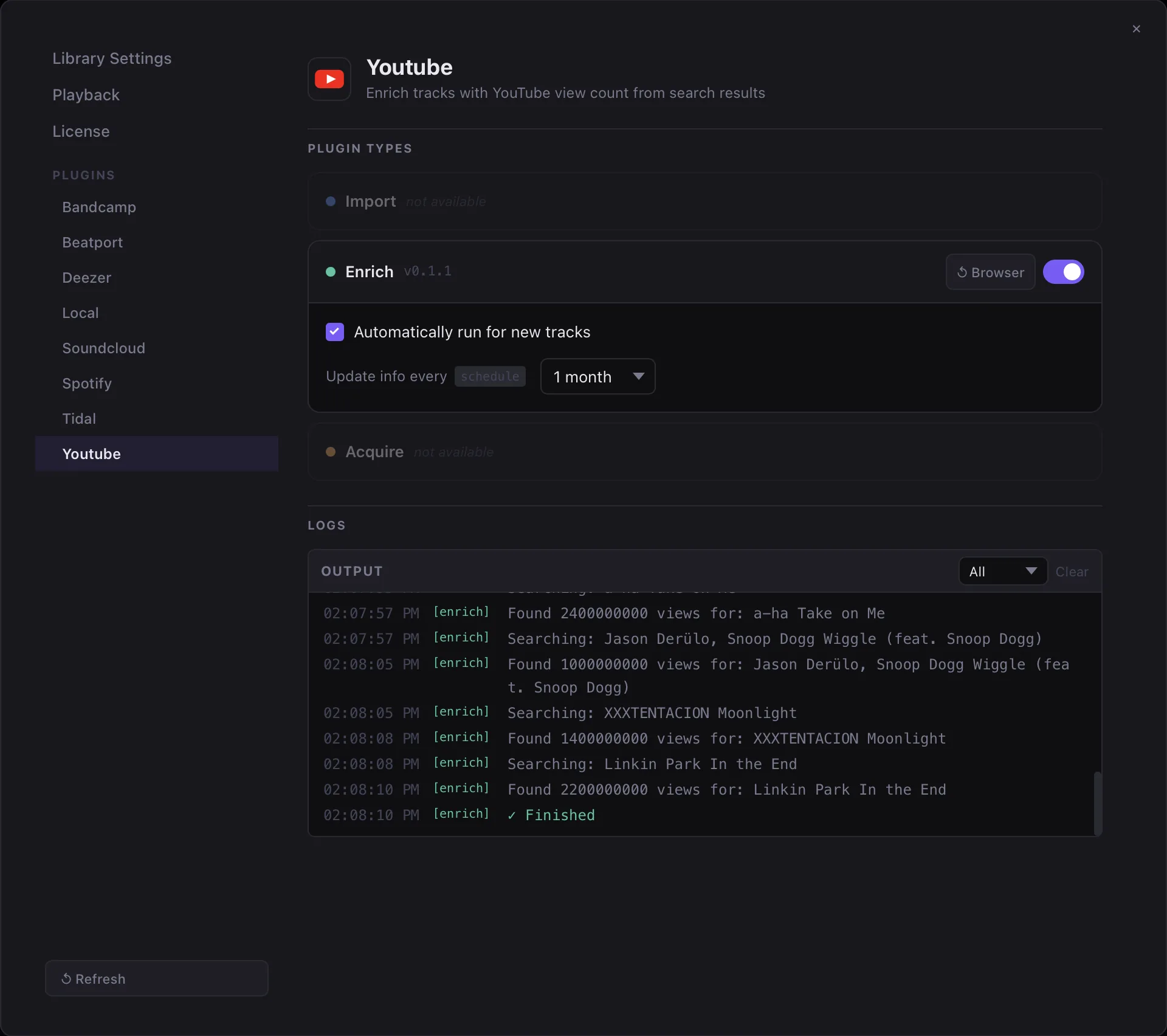
- Automatic metadata enrichment. Plugins reach out to Beatport, Spotify, and YouTube to fill in BPM, key, genre, label, and play counts — without overwriting your existing tags.
- One-click acquisition. Add tracks to a cart and download them from Beatport or Bandcamp. Kombiner handles login, format selection, and file naming automatically.
- Plugin-based architecture. Every import source, enrichment provider, and download target is a plugin — a small Rhai script paired with a
plugin.tomlmanifest. The community can publish and share plugins.
Platform Support
Kombiner is a native desktop app built with Tauri v2, which means a lightweight binary with direct access to the filesystem and system audio. It runs on:
- macOS 12 Monterey and later (Apple Silicon and Intel)
- Windows 10 and later (x86-64)
Pricing
Kombiner is free for up to 500 enrichments or acquires. Once your library grows beyond that, a license key unlocks unlimited tracks and access to all plugins. See Settings → License to activate a key.
The free tier is fully functional — you get the complete pipeline, all plugins, and all export formats — with the single restriction on library size. This makes it easy to evaluate Kombiner against your real workflow before committing.
Next Steps
- Getting Started — Download, install, and configure Kombiner for the first time.
- The Pipeline — Understand how Import, Enrich, Acquire, and Export work together.
- Key Concepts — Learn the data model: tracks, enrichments, plugins, and pipeline runs.